
Appointment and Queue Visibility Across the Patient Journey
Maintain a clear operational view of booking demand, provider capacity, patient arrival status, payment context and exceptions that need attention throughout the day.
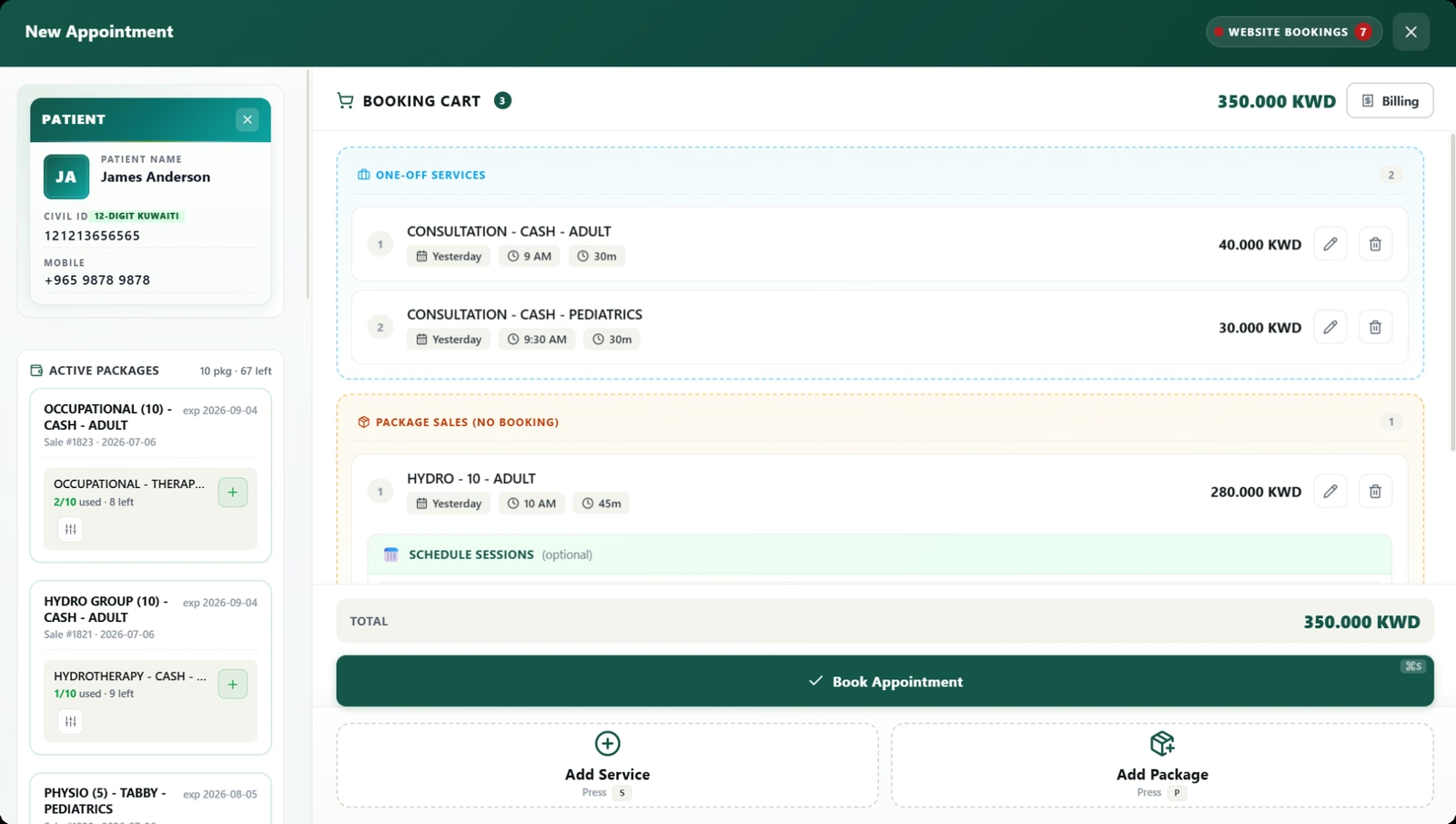
Calendar and queue visibility
Use day, week, month and list views to review provider capacity, utilization, appointment status and patient flow.
Patient context before confirmation
Search by patient details and review outstanding balances, insurance coverage and package availability while booking.
Provider schedule control
Manage working times, split shifts, blocked periods, duration changes and appointment movement across providers.
Website requests and live updates
Convert incoming requests into appointments and see schedule changes made by other staff without refreshing.
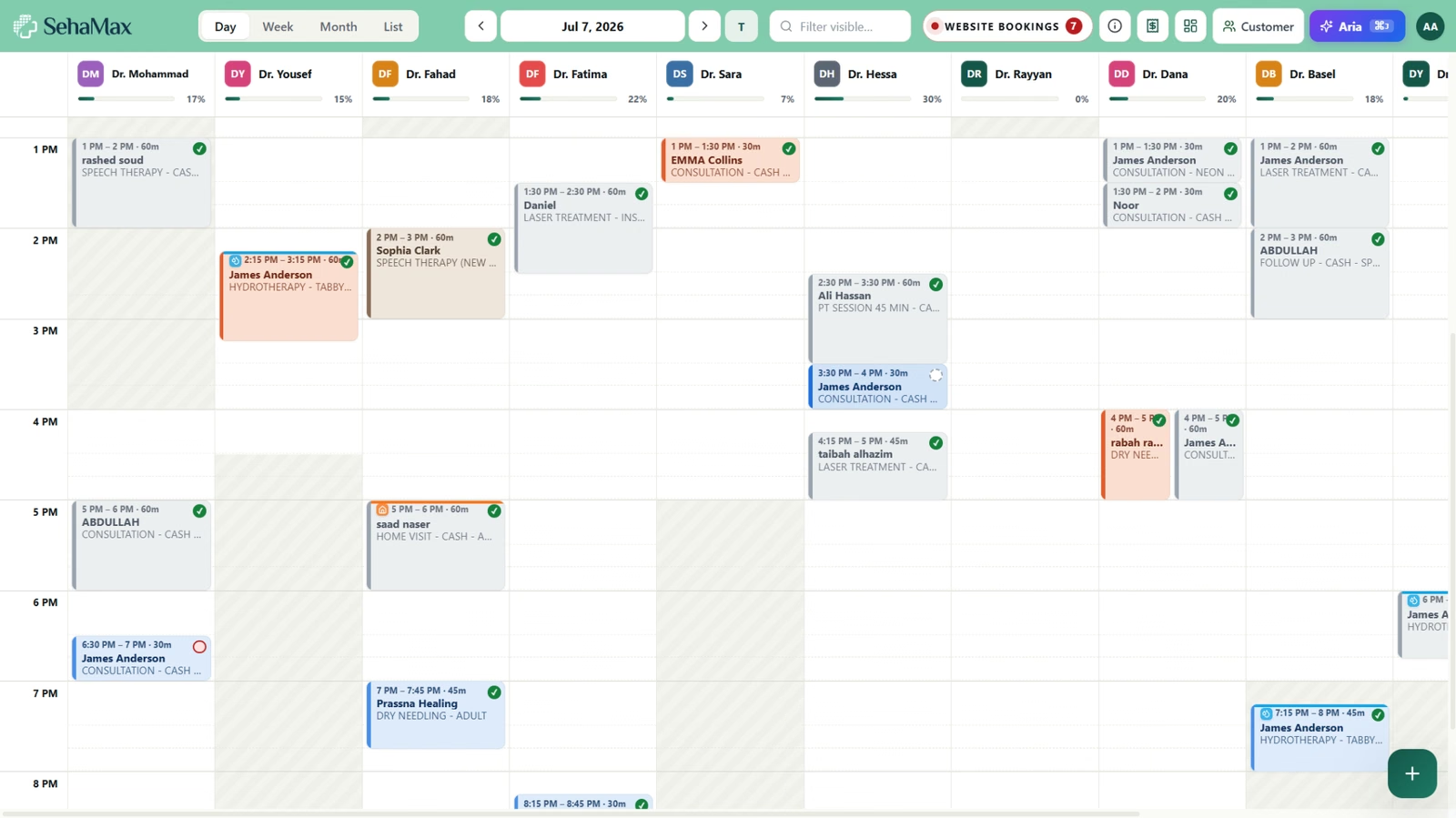
See provider capacity and build the booking without changing workspaces.
The calendar gives reception a working view of provider time and appointment status. The booking cart then keeps services, package sessions, patient context and financial responsibility together.
- Day, week, month and list scheduling views
- Provider capacity, appointment status and payment context
- Services, packages and insurance handled during booking
Used in daily healthcare operations.
Each capability remains connected to the patient, appointment, financial and audit context required by other responsible teams.
Operational appointment oversight
Filter by patient, provider, status, payment state and date range, with summaries for appointment count and collection status.
Booking and checkout context
Add multiple services, package sales or wallet sessions, calculate insurance responsibility and record payment within the same booking process.
Capacity and exception handling
See overlapping appointments, overbooking indicators, no-shows, waiting status and unavailable provider periods before they affect daily flow.
Questions about this SehaMax module
These answers reflect the working capabilities of the current SehaMax system.
Can SehaMax show multiple providers on the same calendar?
Yes. The day board can show one column per working provider, with working hours, split shifts, utilization and appointment status visible together.
Can reception manage website requests and walk-ins?
Yes. Website booking requests can be reviewed from a live board and converted into appointments, while walk-ins can be added directly into the scheduling workflow.
Can appointments include packages and insurance?
Yes. A booking can include services, package sales, package wallet sessions, insurance coverage and the patient payment position before the appointment is saved.
See Appointment and Queue Visibility Across the Patient Journey in a guided demo.
The walkthrough can focus on the operational controls, financial follow-up and management visibility relevant to your organization.