
Operational and financial reporting from the same source data.
SehaMax organizes appointment, patient, provider, billing, insurance, package and audit activity into reporting views for owners, operations managers and finance teams. Shared date ranges and prior-period comparisons support consistent review across departments.
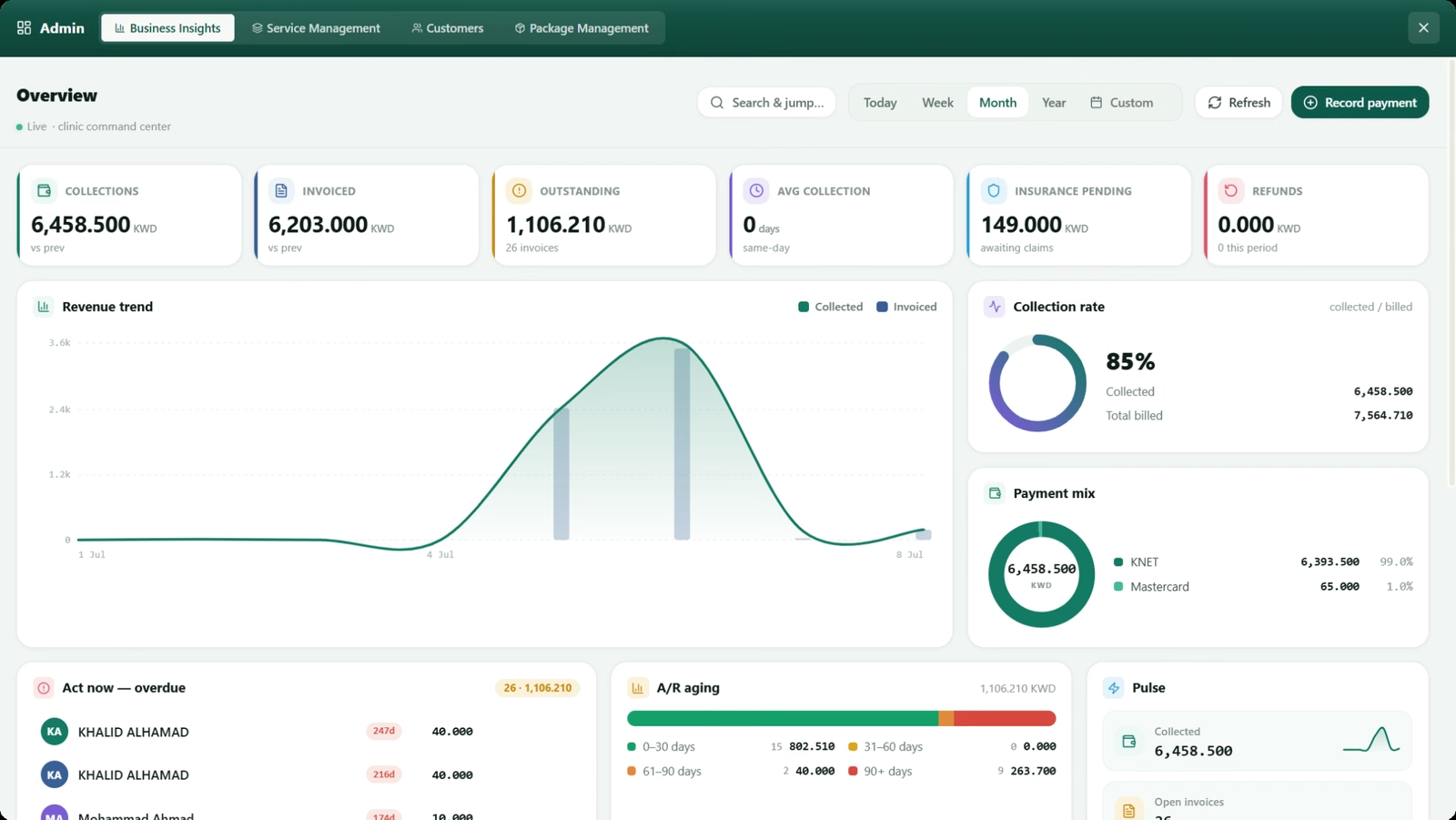
Reporting areas aligned with management responsibility.
Separate views help leadership follow revenue, capacity, patient activity, provider performance, inventory exposure, insurer balances and actions requiring review.
Financial control
- Collections compared with invoiced amounts
- Paid, partial and unpaid invoices
- Outstanding and aged receivables
- Payment method breakdown
- Insurance pending and collected
- Refund and correction activity
Appointment operations
- Appointments by status and period
- Walk-in and website booking demand
- Provider utilization and workload
- No-show and cancellation activity
- Peak days and appointment times
Patient activity
- New and returning patients
- Visit frequency and retention
- Patients with outstanding balances
- High-value patient activity
- Insurance and package usage
Team performance
- Provider appointment load
- Completed visits and utilization
- Reception billing activity
- Department revenue and service demand
- Role-based audit activity
Inventory oversight
- Low-stock items
- Expired and expiring stock
- Item sales and usage
- Frequently used services
Insurance and payer follow-up
- Amounts billed to insurers
- Payments received and still due
- Payer and patient-share summaries
- Card expiry and usage activity
- Month-by-month payer balances
See what has been invoiced, collected and remains due.
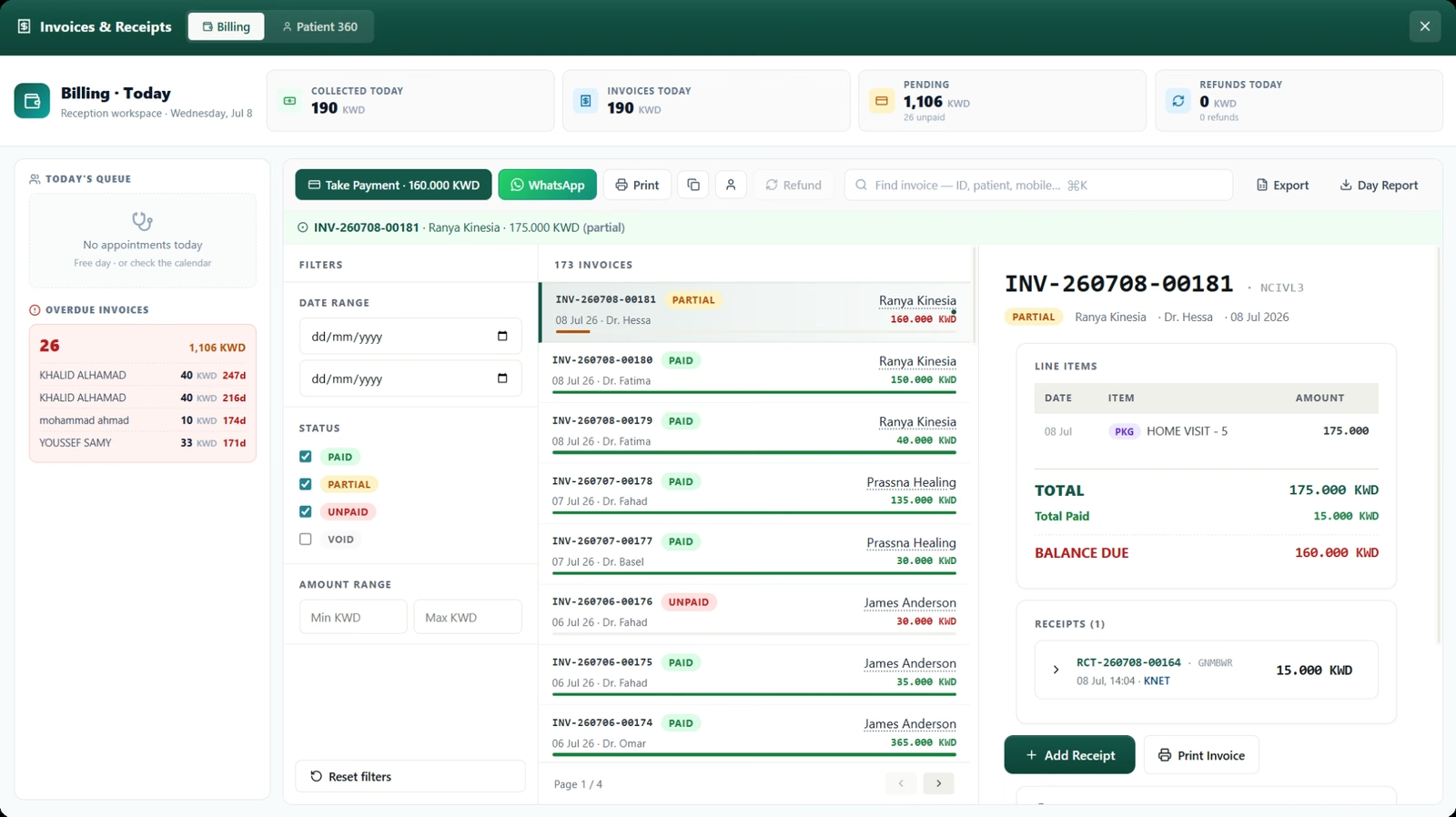
Finance and management teams can review collections against invoiced amounts, partial and unpaid balances, insurer receivables, refunds, payment methods and overdue worklists. Audit history provides context for reprints, corrections, discounts, voids and restored transactions.
- Compare collections, invoiced amounts and collection rate by period.
- Review receivables in 0–30, 31–60, 61–90 and 90+ day ranges.
- Follow insurer amounts billed, paid and still outstanding.
- Review provider workload, patient demand and operational exceptions.
Questions about healthcare reporting
Answers about how SehaMax organizes operational and financial reporting for management review.
What areas are covered by SehaMax reports?
Reports cover operations, revenue, insurance, patients and audit activity, with management dashboard views for collections, invoicing, receivables and provider activity.
Can reports use the same date range for comparison?
Yes. Shared period controls and previous-period comparisons help management review different measures on the same time basis.
Can filtered report data be exported?
Yes. Report exports can match the filtered view, and exports containing patient identifiers can be recorded for accountability.
Review the reports used by your management team.
The walkthrough can focus on operational KPIs, finance follow-up, insurer balances, provider utilization, custom filters and controlled exports.