
Operational and Financial Reporting for Management Decisions
Review operational and financial performance using consistent data, date ranges and definitions.
Ready-made reporting areas
Review operations, revenue, insurance, patients and audit activity from grouped reports.
Custom report layouts
Choose valid data, grouping, measures and filters, then save the report for repeated management review.
Period and KPI comparison
Use shared date ranges and compare headline figures with the previous equivalent period.
Controlled exports
Export exactly what is filtered on screen and record exports containing patient identifiers.
Used in daily healthcare operations.
Each capability remains connected to the patient, appointment, financial and audit context required by other responsible teams.
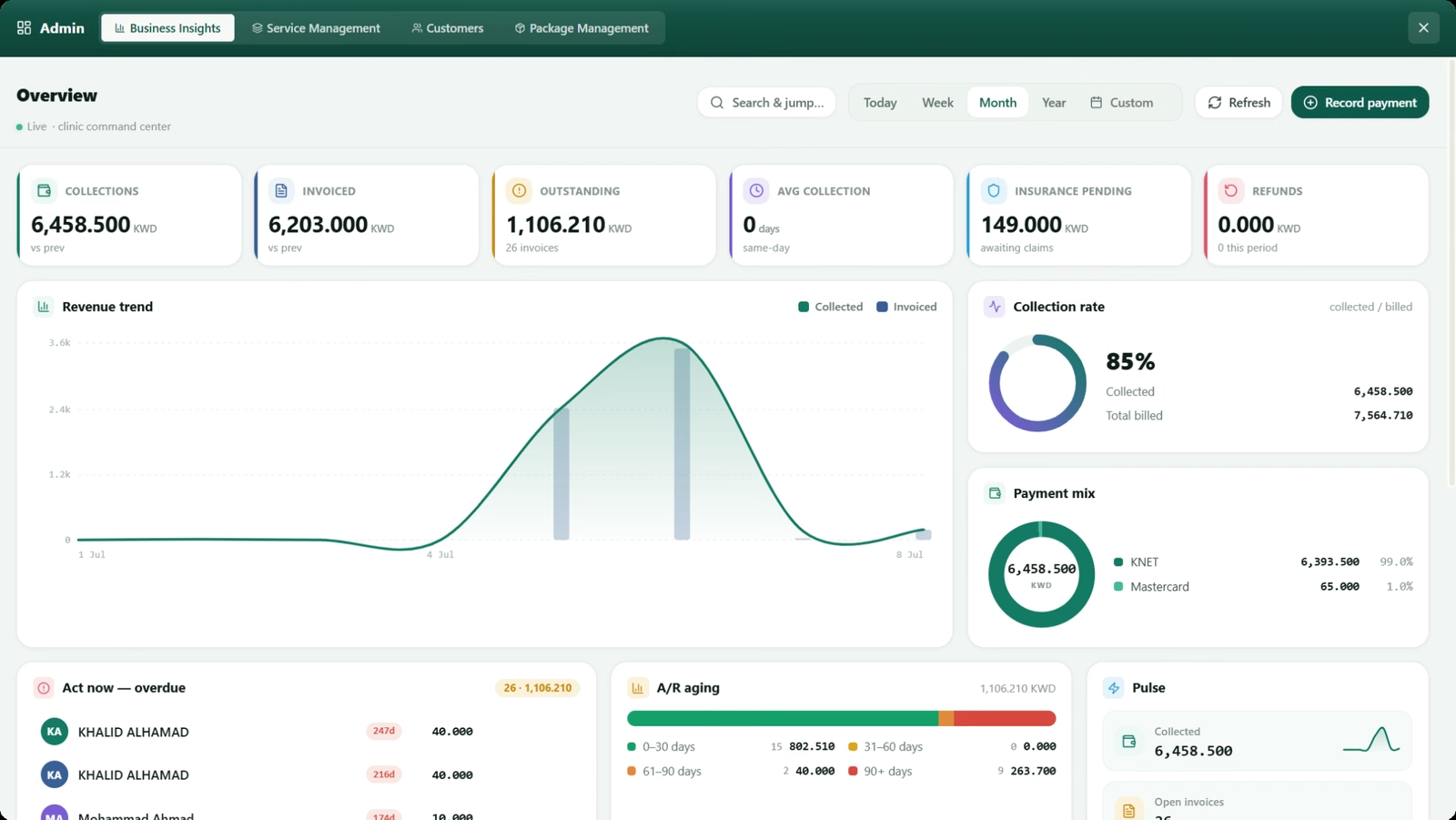
Business dashboard
Review collections, invoiced amounts, outstanding balances, insurance pending, refunds, aged receivables and service performance.
Operational reporting
Review booking demand, provider utilization, patient activity, no-shows and areas requiring follow-up.
Reporting governance
Use plain-language report definitions, incomplete-data warnings, patient-identifier notices and audit records for sensitive exports.
Questions about this SehaMax module
These answers reflect the working capabilities of the current SehaMax system.
What areas are covered by SehaMax reports?
Reports cover operations, revenue, insurance, patients and audit activity, with management dashboard views for collections, invoicing, receivables and provider activity.
Can reports use the same date range for comparison?
Yes. Shared period controls and previous-period comparisons help management review different measures on the same time basis.
Can filtered report data be exported?
Yes. Report exports can match the filtered view, and exports containing patient identifiers can be recorded for accountability.
See Operational and Financial Reporting for Management Decisions in a guided demo.
The walkthrough can focus on the operational controls, financial follow-up and management visibility relevant to your organization.